


iHeart: Music, Radio, Podcasts
4.6686.71K Reviews
App Specs
- Version
- Varies with Device
- Updated On
- License
- Free
- Downloads
- 50,000,000+
- Developer
- iHeartMedia, Inc.
- Categories
- Music & Audio
- Platform
- Android, iOS
Screenshots


 Analysis by AppCompare
For me, the most useful thing about choosing an audio app is knowing what kind of listening I want before I open it. If I want a familiar radio-style stream rather than a carefully assembled album queue, iHeart: Music, Radio, Podcasts is an appealing place to start. It brings music, radio and podcasts together, so I can move between background listening and a show that needs more attention without changing apps.
Readable routes through a broad listening library
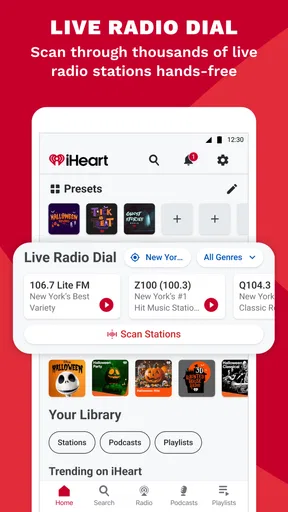
iHeart is a music and audio app from iHeartMedia, Inc., and its broad mix can be a real advantage when my listening mood changes during the day. I might begin with a station while getting ready, switch to a podcast during a walk, then return to radio while cooking. The trade-off is that a large catalogue can take more decision-making than opening a single saved album. I find it helps to use search when I already know what I want and browse when I am open to being surprised.
The app has a 4.6 average from around 2.3 million ratings, and it has been installed over 50 million times. Those figures suggest a widely used service, but they do not tell me whether its layout will suit every person or listening habit. I would judge that by trying a few familiar tasks: locating a station, finding a podcast, and returning to something I saved. If those routes feel clear, the range becomes useful rather than overwhelming.
Navigation that suits quick choices and longer browsing
One practical distinction is how I approach radio versus podcasts. A station is a good fit when I want to press play and let the sound carry on in the background. A podcast is better when I have a particular subject or host in mind and want a more focused session. Keeping both options in one app reduces switching, though it also means I need to be deliberate about what I save and how I find it again.
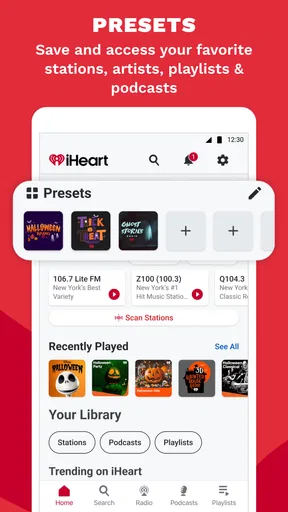
For a low-effort routine, I would pick a few dependable stations and podcasts in advance rather than browse every time I have a spare minute. That makes the app easier to use in short gaps, such as while making breakfast or waiting for an appointment. Recommendations can help with discovery, but I treat them as suggestions, not a substitute for a search when I have a specific show in mind.
Different senses, hands and listening environments
Audio is naturally useful when my eyes are occupied, but using an audio app still involves visual and physical interaction at the start: finding the right item and beginning playback. If tapping and reading small controls are difficult, the most helpful approach is to reduce the number of choices I need to make during a listening session. Saving familiar items ahead of time can make the next visit more straightforward than searching from scratch.
Sound itself is not equally comfortable in every setting. A live station or talk show may be harder to follow in a noisy room than a familiar music stream, while spoken podcasts can demand more attention than background listening. I would test the app in the place I actually plan to use it and adjust my choice of content to the environment. For anyone sensitive to interruptions or competing audio, a quieter setting and a simple, known selection may be a better starting point.
Worth Reading Before You Choose

EA SPORTS FC Mobile 26 Is a Bigger Football Game, but It Takes Time

Flipboard Shows What News Apps Must Do Beyond the Feed

Switching to Android Auto Means Rethinking Your Driving Routine

Google Calendar Makes a Crowded Week Easier to Manage

Ludo King Makes the Most of the Minutes Between Plans

Baby Panda World Brings Quick Play to Modern Phones, but Its Game Library Feels Busy
Everyday access, data and practical trade-offs
On a commute, I would choose what to hear before setting off, then avoid browsing while moving. For a workout, a station can remove the small decisions involved in building a queue; for a quiet task at home, a podcast may be more engaging. These are different jobs, and iHeart’s mix is strongest when I value having those choices together. If I mainly want a tightly controlled personal music library, a dedicated music service may feel more direct.
The app is free to download, with in-app purchases listed from $4.99 to $12.99 per item. I would start with the free experience and decide whether any paid option matches a specific need, rather than paying simply because an upgrade exists. The content rating is Teen, so it is sensible for families to consider that rating when deciding whether the app is appropriate for a younger listener. As with any streaming service, listening also depends on having a usable connection; I would not assume a session will work offline unless the option I need is available to me.
Where another listening choice may work better
Compared with a traditional radio app, iHeart is more appealing if I want podcasts alongside stations rather than radio alone. Compared with a podcast-only app, it is a better match when I switch between spoken shows and music during the same day. A subscription music service may be preferable if my main priority is selecting exact tracks and building a highly controlled listening queue. The right choice depends less on which app has the biggest menu and more on whether I want a station to choose the flow or want to curate every track myself.
There are also moments when I would skip browsing altogether. If I am in a hurry, have limited attention for screen interaction, or need audio to continue in a place with unreliable connectivity, I would prepare a familiar option beforehand or choose a service and setup I already know will work in that situation. That small habit reduces friction without requiring me to explore the whole catalogue every time.
Endless Audio Entertainment
When I first downloaded iHeart: Music, Radio, Podcasts, I was amazed at the sheer volume of content available. Seriously, it’s like having the world’s largest jukebox in your pocket. Whether you're a fan of top 40 hits, classic rock, or even niche genres, iHeart has a radio station for you. And it's not just about music. The app is a treasure trove of live radio stations from all over the globe, so you can catch up on news, sports, and talk shows anytime, anywhere.
A Universe of Podcasts
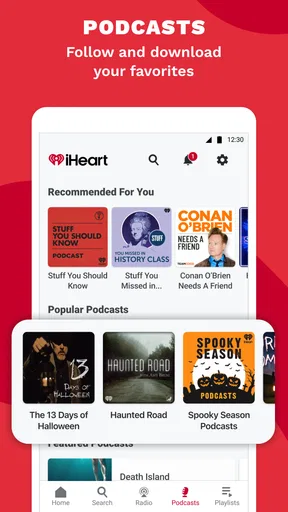
Now, I have to admit, I’m a bit of a podcast junkie, and iHeart doesn't disappoint. With thousands of podcasts to choose from, there’s always something new to discover. From true crime to comedy, and everything in between, the app curates an impressive selection that keeps you hooked. And the best part? New episodes are updated regularly, so you’ll never run out of things to listen to.
User-Friendly Interface
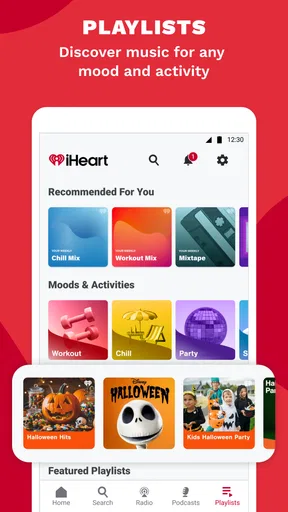
What really makes iHeart stand out is its intuitive and user-friendly interface. Navigating through the app is a breeze, even for the less tech-savvy among us. You can easily search for your favorite stations or podcasts, save them for later, and even create personalized playlists. The app also gives you recommendations based on your listening habits, which is a fantastic way to discover new content.
Free but Feature-Packed
One of the best things about iHeart is that it’s free to use. Yes, you heard me right! While there is a premium version available that offers additional features like offline listening and ad-free music, the free version is more than sufficient for most users. It’s perfect if you’re looking for a budget-friendly way to enjoy a wide range of audio content.
Seamless Connectivity
Another feature that I absolutely love is the app's ability to connect seamlessly with various devices. Whether you’re using your smartphone, tablet, or even a smart speaker, iHeart syncs effortlessly, allowing you to enjoy your favorite tunes and shows anywhere you go. Plus, the app integrates well with car systems, which is a lifesaver during long drives.
Final Thoughts
Overall, iHeart: Music, Radio, Podcasts is a fantastic app that offers endless entertainment at your fingertips. Whether you’re a music lover, a podcast enthusiast, or just someone looking to pass the time with some quality audio content, this app has something for everyone. So go ahead, give it a try, and let iHeart be the soundtrack to your life.
Pros
- Vast music library with diverse genres.
- Access to live radio stations worldwide.
- Customizable playlists for personal touch.
- Podcasts from various categories available.
- User-friendly interface and easy navigation.
Cons
- Ads can be intrusive without premium.
- Limited offline listening on free version.
- Occasional buffering on slower networks.
- Premium subscription can be pricey.
- Some features regionally restricted.
FAQs for iHeart: Music, Radio, Podcasts
What features does iHeart offer for free users?
iHeart provides a variety of features for free users, including access to live radio stations, curated playlists, and popular podcasts. While you can explore a vast library of music and shows, there are occasional ads. Premium features like offline listening and unlimited skips require a subscription.
Can I listen to iHeart offline?
Offline listening is available for iHeart's paid subscribers. With the Plus or All Access plans, users can download songs, playlists, and podcasts to enjoy without an internet connection, making it a great option for on-the-go listening or areas with poor connectivity.
How does iHeart’s podcast selection compare to other platforms?
iHeart boasts a robust selection of podcasts, including exclusive shows and popular series across various genres. It competes well with platforms like Spotify and Apple Podcasts, providing content from well-known creators and unique, original programming to satisfy diverse listener interests.
Is iHeart available internationally?
iHeart is primarily available in the United States, Canada, Australia, and New Zealand. However, availability might vary, and access to certain features or content could be restricted based on licensing agreements in different regions. It's best to check the app store for availability in your country.
What is the difference between iHeart Plus and iHeart All Access?
iHeart Plus offers ad-free listening, unlimited skips, and the ability to replay songs. All Access includes all Plus features, with the addition of offline listening, creating playlists from any song in the library, and full access to on-demand music, making it ideal for those seeking a comprehensive music experience.


